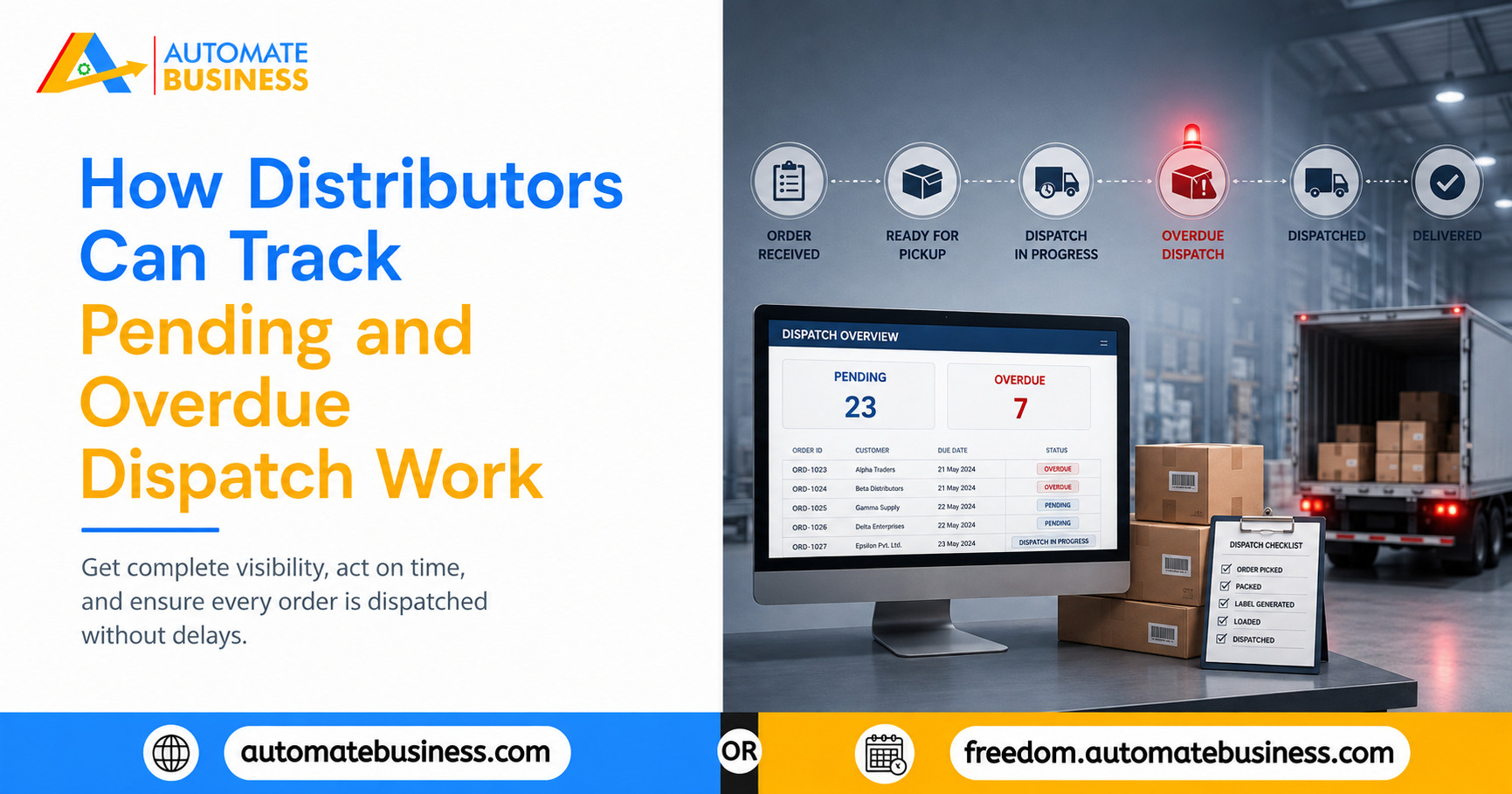
How Distributors Can Track Pending and Overdue Dispatch Work
Learn how distributors can stop dispatch delays by tracking pending and overdue work with WhatsApp reminders, dashboards, and Automate Task Management.
Join the Business AI Summit 2027

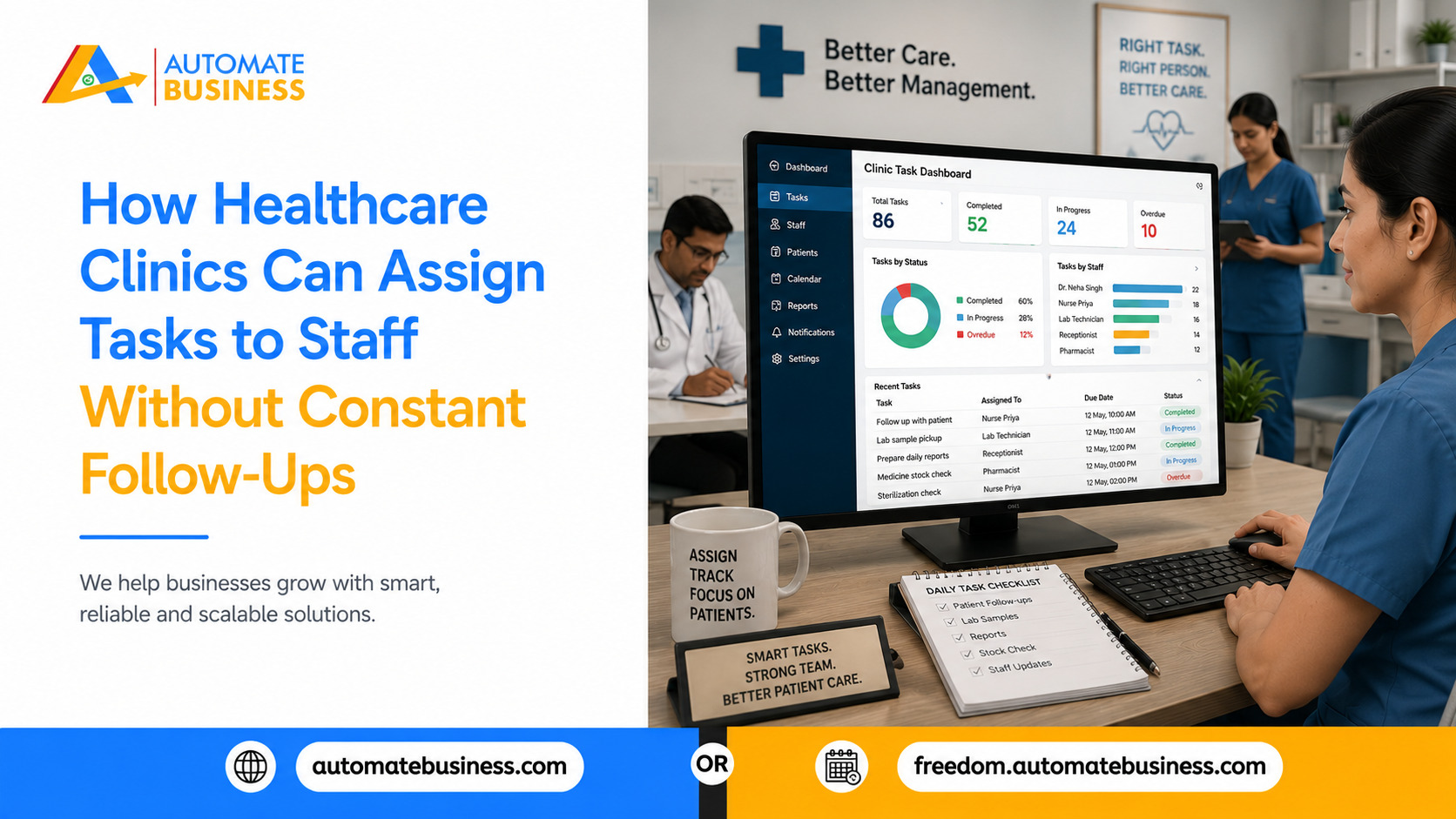
A missed sanitization round, a stock check nobody logged, a reminder call that never reached the patient in most clinics, these gaps don't happen because staff are careless. They happen because work is assigned verbally, tracked in registers or WhatsApp groups, and depends entirely on someone remembering to follow up. Automate Task Management exists to close exactly this gap: give every task a clear owner, a deadline, and an automatic reminder, so clinic managers stop spending their day chasing status updates.
Why Clinic Task Follow-Ups Eat Up So Much Time
A typical clinic runs on dozens of small, recurring jobs at once OPD room readiness, equipment sterilization, medicine stock counts, appointment confirmation calls, insurance paperwork, housekeeping rounds, and staff duty rotations. When these are assigned during a quick corridor conversation or dropped into a WhatsApp group, three things go wrong almost every time.
This is why so much of a clinic administrator's day disappears into asking "did you finish that?" instead of running the clinic. The fix isn't hiring more supervisors it's removing the need for manual follow-up in the first place.
What Task Assignment Should Actually Look Like in a Clinic
Instead of a verbal instruction or a message that scrolls out of view, every task needs four things attached to it from the start: a title, an owner, a deadline, and a priority. This is the basic structure that a task management system enforces automatically, whether the job is "restock PPE in Room 3 by 6 PM" or "call 12 patients for tomorrow's follow-up appointments."
With Automate Tasks, a clinic administrator can create these assignments directly from a computer, or generate them faster using an AI prompt or a voice command useful when a doctor or nurse needs to log an instruction quickly between patients. Sub-tasks and checklists break larger jobs, like a full OPD opening routine, into smaller steps that can be assigned to different staff members without losing the bigger picture.
Bulk Setup for Larger Clinics
For clinics with multiple departments or several branches, setting up recurring duty lists one by one isn't practical. Bulk upload through CSV lets an administrator import a full list of tasks or staff members in one go, which is especially useful when a clinic is moving away from spreadsheets and registers for the first time.
Automatic Reminders Replace the Manual Chase
The biggest shift happens once reminders stop depending on a person. Automate Tasks sends reminders directly on WhatsApp and email, matched to each staff member's time zone, so a nurse or technician gets a nudge on the same app they already check throughout the day instead of waiting for a phone call from the front desk.
A pending task reminder on WhatsApp reads simply: "Hi Priya, task 'Review Draft Contract' is pending review. Please complete." The staff member replies, and the task status updates on the manager's dashboard automatically no phone call needed.
This matters most for the routine jobs that keep a clinic running safely: equipment sterilization rounds, cold-chain vaccine checks, daily medicine stock counts, and housekeeping schedules. These can be set up as recurring tasks with daily, weekly, monthly, or custom cycles, and the system's holiday-skip logic makes sure tasks aren't auto-created on days the clinic is closed so nobody gets a reminder for a shift that isn't happening.
Giving the Right Access to the Right Role
A clinic has very different roles working side by side doctors, nurses, front-desk staff, lab technicians, and administrative staff and not everyone needs to see or manage the same information. Role-based access lets a clinic define admin, manager, member, and custom roles, so a front-desk executive can update patient-call tasks without being able to see billing tasks assigned to the accounts team, while the clinic owner or administrator retains full visibility across every department.
This is particularly useful for clinics that are scaling from a single location to multiple branches, since new staff can be added with the right permissions from day one instead of manually adjusting access as the team grows.
Seeing What's Pending, Overdue, and Stuck Without Asking
Once tasks and reminders are running automatically, the manager's job shifts from chasing updates to reviewing a dashboard. List and Kanban views let an administrator filter tasks by staff member, status, priority, department, or date, so a quick glance shows what's on track, what's overdue, and where a bottleneck has formed — for example, if lab report deliveries are consistently delayed for one technician.
Group-based task management is especially useful for clinics running multiple departments or branches, since work can be organized team-wise with shared visibility, and dashboard scoring gives a simple view of completion rates and backlog control across the clinic without a single follow-up call.
Built for Front-Desk Teams and Floor Staff, Not Just Managers
Clinic work doesn't happen at a desk. Nurses move between rooms, technicians handle equipment on the floor, and front-desk staff manage a constantly changing queue. A task system only helps if it works the same way. Automate Tasks is available on Web, Android, and iOS, so managers can review and assign work from a computer while clinical and front-desk staff receive assignments, updates, and reminders directly on their phones which is where they're actually working through the day.
For a clinic managing patient reminders, appointment confirmations, or follow-up calls alongside internal task assignment, connecting task workflows with a shared WhatsApp inbox and calendar visibility keeps both patient communication and staff accountability running from familiar channels, without adding another disconnected tool to the clinic's operations.
Stop Chasing Updates. Start Running Clinic Work With Clarity.
See how Automate Tasks helps clinics assign work, automate WhatsApp reminders, and track staff accountability across departments and branches. Book a Demo
Get more insights every week. Join Kewal's free WhatsApp community for live sessions and automation tips.
Join 12,000+ MSMEs who automated their business. Join the 2 day live hackathon today.